How to create dataclass widget
User can create DataWidget from the dataclass type using dataclass2Widget().
By default, type hint of every field must be supported by type2Widget().
If your type hint is not supported, specify the alternative type hint by setting Qt_typehint metadata to the field.
Basic example
Here is a reproducible code for the example in Introduction page. First, let’s define a simple dataclass.
from dataclasses import dataclass

@dataclass
class DataClass:
    x: int
    y: bool
We then create a widget and display it.
from PySide6.QtWidgets import QApplication
from dawiq import dataclass2Widget
import sys

app = QApplication(sys.argv)
dataWidget = dataclass2Widget(DataClass)
dataWidget.show()
app.exec()
app.quit()
from PyQt6.QtWidgets import QApplication
from dawiq import dataclass2Widget
import sys

app = QApplication(sys.argv)
dataWidget = dataclass2Widget(DataClass)
dataWidget.show()
app.exec()
app.quit()
from PySide2.QtWidgets import QApplication
from dawiq import dataclass2Widget
import sys

app = QApplication(sys.argv)
dataWidget = dataclass2Widget(DataClass)
dataWidget.show()
app.exec_()
app.quit()
from PyQt5.QtWidgets import QApplication
from dawiq import dataclass2Widget
import sys

app = QApplication(sys.argv)
dataWidget = dataclass2Widget(DataClass)
dataWidget.show()
app.exec()
app.quit()
Your widget will look like this:
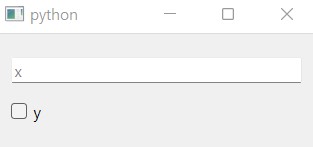
Widget with IntLineEdit and BoolCheckBox
Nested dataclass example
Nested dataclass is supported by nested widget.
from dataclasses import dataclass

@dataclass
class Inner:
    a: int

@dataclass
class DataClass:
    x: bool
    y: Inner
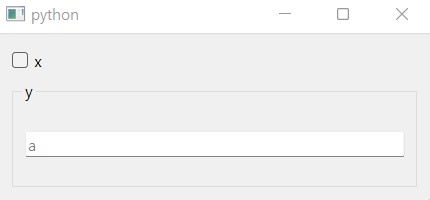
Widget with BoolCheckBox and nested DataWidget
Type hint example
This example shows how to specify the alternative type hint using Qt_typehint metadata.
In this first example, the type hint is Union[int, float] but dataclass2Widget() treats the field as float.
from dataclasses import dataclass, field
from typing import Union

@dataclass
class DataClass:
    x: Union[int, float] = field(metadata=dict(Qt_typehint=float))
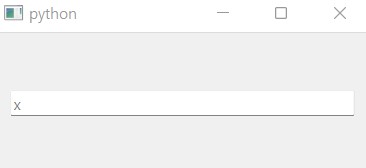
Widget with FloatLineEdit
Now for the second example we define CustomClass which takes two integers as parameters.
dataclass2Widget() treats the field as Tuple[int, int] and creates the widget which fits to it.
from dataclasses import dataclass, field
from typing import Tuple

class CustomClass:
    def __init__(self, x, y):
        ...

@dataclass
class DataClass:
    custom: CustomClass = field(metadata=dict(Qt_typehint=Tuple[int, int]))
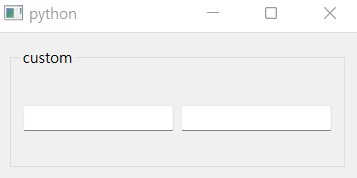
Widget with TupleGroupBox with two IntLineEdit
When setting or retrieving the data from this widget, other metadata are required to convert CustomClass to Tuple[int, int] and vice versa.
It is explained in How to use item model page.